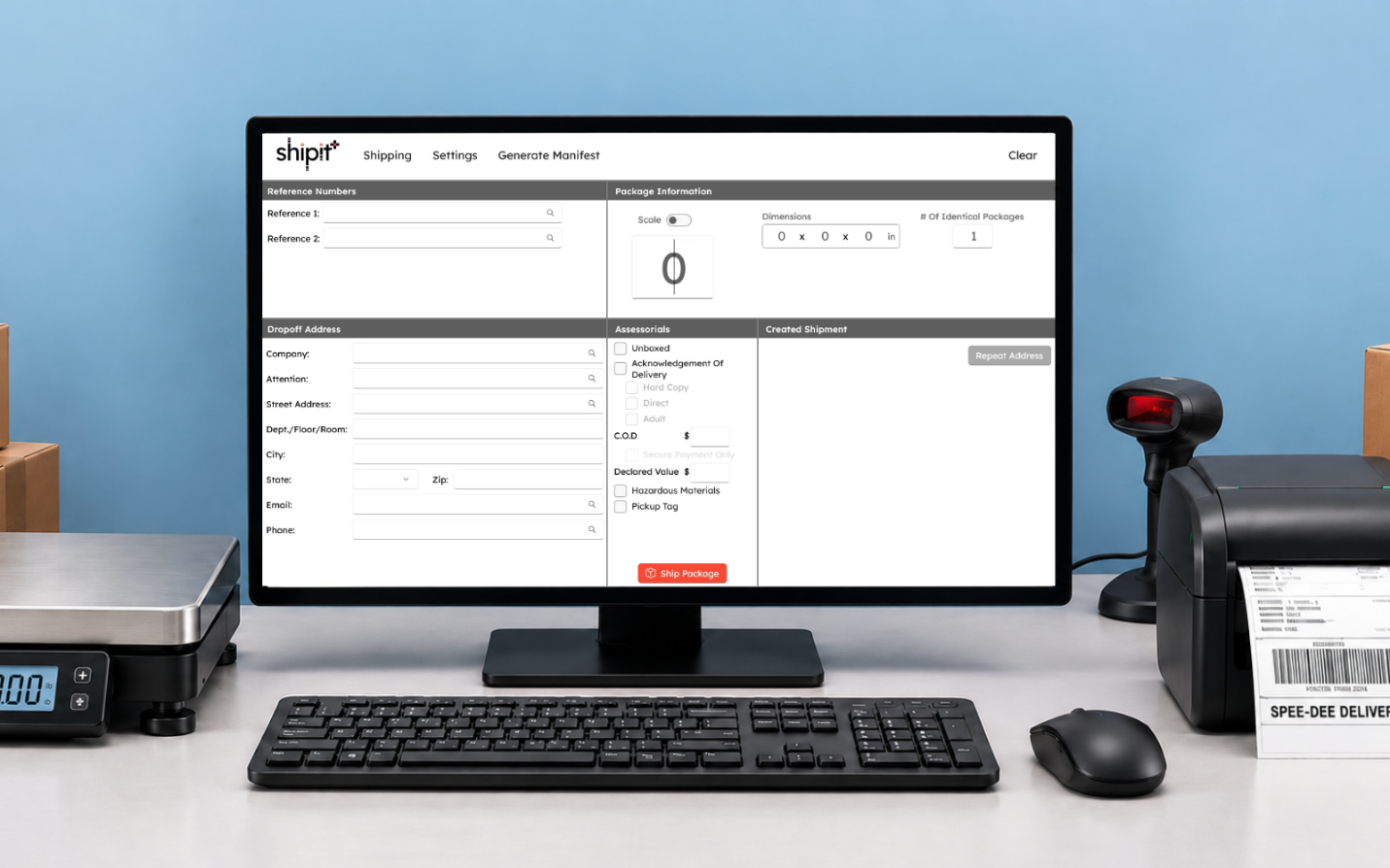
Shipping Starts Here
shipit is Spee-Dee Delivery’s complete web-based shipping platform.
Introducing shipit+, a desktop companion that integrates with shipit and has the familiar Spee-Dee Ship workflow.
shipit Puts Your Shipping In One Place
Create shipments, print labels, track packages, view shipment history and run reports. All from one web-based platform. shipit gives you everything you need to manage your Spee-Dee Delivery shipping from start to finish.

Create & Ship
Create shipments, generate labels, estimate shipment costs, manage addresses, and schedule pickups.

Track & Manage
Track packages, search shipment history, and manage shipping activity from your account.

Reports & History
Create and access reports to better understand and manage your shipment activity.
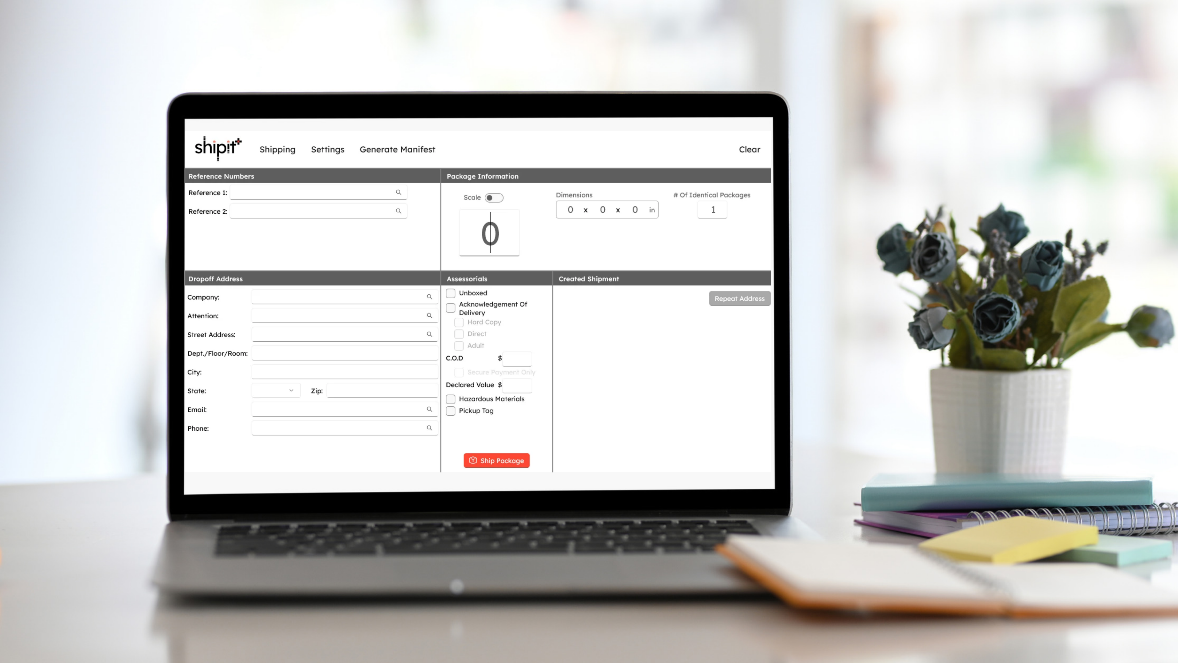
Introducing shipit+ (plus)
If you use Spee-Dee Ship, then you already know shipit+. Built with the same interface and workflow, shipit+ gives you the familiar Spee-Dee Ship experience in a new desktop application that works alongside shipit. shipit+ is the new Spee-Dee Ship.
Familiar Workflow
Designed to make the transition from Spee-Dee Ship easy.
Built for Volume
Process shipments quickly like you did with Spee-Dee Ship.
Hardware Integration
Use scales, barcode scanners, and label printers.
System Requirements:
| Operating System: | Windows 11 |
| Processor: | 2 GHz or faster |
| Memory: | 8 GB RAM |
| Storage: | 1 GB of free space |
| Internet: | Connection required |
shipit & shipit+
shipit is your complete shipping platform. You can create shipments and labels, schedule pick-ups, track packages, review shipment history and run reports—everything you need to manage your Spee-Dee Delivery shipping.
shipit+ is the new Spee-Dee Ship. It’s a desktop companion that works alongside of shipit for customers who process a high-volume of shipments and want the familiar Spee-Dee Ship workflow, along with scale, barcode scanner, and printer integration.
shipit+ doesn’t replace shipit. It gives you another way to create shipments and print labels quickly at your shipping station.
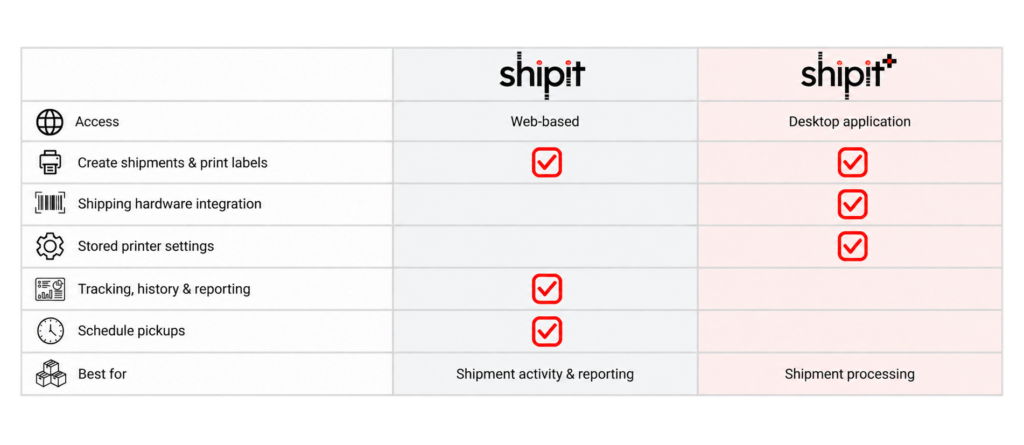


Access
Web-based
Desktop application
Create shipments & print labels
Shipping hardware integration
Stored printer settings
Tracking, history & reporting
Schedule pickups
Best for
Shipment activity & reporting
Shipment processing
shipit & shipit+ ?
shipit
Request your account
We just need a few pieces of information to set up your shipit account.
If you have previously set up an account and forgot your password, go to the shipit login page and select forgot password.
shipit+
Set up your shipping station
DOWNLOAD the application file
INSTALL shipit+ on your computer
LOG IN to shipit+ with your shipit credentials.
If you have not yet signed up for shipit, you will need to do that prior to using shipit+.
shipit+ User Guides
Step-by-step instructions to help you install shipit+ and begin shipping.
Download, install, and set up your shipping station
Create shipments, print labels, and generate manifests
We're Here To Help!
If it’s after hours, fill out the form below and we will email you back!
Answers,
delivered.
What to know before moving your shipping workflow to shipit and shipit+.
shipit is our web-based shipping platform for creating labels, tracking packages, managing shipments and viewing reports.
shipit+ is a Windows desktop application built for high-volume shippers. It offers the familiar Spee-Dee Ship workflow, plus scale integration, barcode scanning and saved printer settings.
Both use the same shipit account and work together.
No. You can continue using shipit for all your shipping needs. shipit+ is an optional desktop application designed for customers who prefer the familiar Spee-Dee Ship experience or process a higher volume of shipments.
shipit+ was designed to give you the familiar Spee-Dee Ship experience with updated technology and better integration with our shipping systems. While Spee-Dee Ship will continue to function in 2027, it will no longer receive software updates or technical support. Plus, beginning February 1, 2027, shipments processed through Spee-Dee Ship will cost 25% more than those processed through shipit or shipit+. We encourage customers to switch to shipit and shipit+ to take advantage of our lowest available shipping rates.
Yes! shipit+ was designed to look and function almost exactly like Spee-Dee Ship, so there’s very little to relearn. You’ll enjoy the same familiar shipping process with updated technology and a connection to your shipit account.
Absolutely! Both platforms use the same shipit account and are designed to work together. Use shipit+ for fast, high-volume shipping and label creation, including scale and barcode scanner integration.
For package tracking, shipment history, reporting or canceling a shipment, simply log in to the web-based shipit platform. These features are not available in shipit+.
Yes! When installing shipit+, make sure you’re using the same computer where Spee-Dee Ship is currently installed. During installation, you’ll be prompted to import your existing address book and pickup address information.
Does shipit+ look and work like Spee-Dee Ship?
Yes! shipit+ was designed to look and function almost exactly like Spee-Dee Ship, so there’s very little to relearn. You’ll enjoy the same familiar shipping process with updated technology and a connection to your shipit account.
Will my Spee-Dee Ship addresses and customer information transfer to shipit+?
Yes! When installing shipit+, make sure you’re using the same computer where Spee-Dee Ship is currently installed. During installation, you’ll be prompted to import your existing address book and pickup address information.
Be sure to keep Spee-Dee Ship installed until the transfer is complete. For step-by-step instructions, refer to the shipit+ Installation Guide available above.
Yes! shipit is web-based and works on both Apple and Windows computers. You can create shipments, print labels, track packages and access reports directly from your web browser.
shipit+ is a Windows-only desktop application and is not compatible with Apple computers.
One account.
Two powerful tools.
Manage the full shipping picture in shipit. Process packages faster at your station with shipit+.